
Which platform do you want to download for?
Android APK
Version 3.8.2 • 45 MBCompatible with Android 6.0 and above. Download the APK file directly and install it — no Google Play required.
APK DownloadIOS App
Version 3.8.1 • 52 MBRuns on iOS 13.0 and above, with full support for both iPhone and iPad. Simply follow the App Store link to install in seconds.
iOS DownloadMobile Web
Always Up to DateNo app download needed — use Sona101 directly in your mobile browser. Get a great experience on Chrome or Safari.
Open in BrowserWhy download the app when the browser version works fine?
It's a question we hear a lot — and the answer is actually quite simple. Sona101's dedicated app gives you benefits that simply aren't possible through a browser alone.
First, push notifications. Whenever a special offer or jackpot update goes live, you'll get an instant notification on your phone — no need to keep refreshing a browser tab.
Second, loading speed. Sona101 The app uses locally cached data to keep gameplay smooth even on slow connections. Internet speeds can vary across Bangladesh, and the app handles that well.
Third, biometric login. Use your fingerprint or face unlock to jump straight into your account — no more typing your password every time. It's also far more secure.

Uninterrupted Gaming on Sona101 App — Even in the Hill Tracts
Key Features of the Sona101 App
Fastest Loading
The app is ready in just 1–2 seconds. No lag, no freezing — even in the middle of a game.
Biometric Login
Log in with your fingerprint or face — fast, secure, and completely hassle-free.
Real-Time Notifications
Get instant notifications for jackpot updates, match kick-offs, and bonus offers — never miss a beat.
Low-Data Mode
On a slow connection, turn on low-data mode. Your game keeps running while data usage stays low.
Full Bangla Interface
From the menu to the settings, everything is in Bengali. No need to puzzle through English like you would on a foreign app.
256-Bit Encryption
Your data and transactions are protected with the highest level of security — no risk of hacking or data leaks.
One-Click Payment
With saved bikiash, Nagad, or Rocket details, deposits and withdrawals are done in a single tap.
Dark Mode Support
Switch on dark mode at night to reduce eye strain. It's easier on your eyes and helps save battery too.

Effortless Betting on Sona101 App — Even from Rangpur
How to Install Sona101 on Android
Many users feel a bit unsure the first time they install an APK. It's actually very straightforward — just follow the steps below:
Go to Settings
Go to your phone's Settings > Security (or Privacy) and enable "Unknown Sources" or "Install Unknown Apps".
Download APK
Click the Android button on this page to download the Sona101 APK file directly. The file will typically be saved to your Downloads folder.
Open in File Manager
Open your Downloads folder, tap the sona101.apk file, then hit "Install".
Complete the Installation
Installation takes just 15–30 seconds. Once it's done, tap "Open" to get started.
Log In or Register
Log in to your existing account or create a new one — it takes no more than 2 minutes.
How to Install on iOS
Use the Safari Browser
Open the Sona101 download page in Safari on your iPhone or iPad. Installation via Chrome may not work on iOS.
Tap the iOS Button
Tap the iOS Download button and select "Allow" or "Install" when prompted.
Trust
Go to Settings > General > VPN & Device Management and tap "Trust" for Sona101. You only need to do this once.
Open from Home Screen
The Sona101 icon will appear on your home screen. Tap it to get started right away.
System Requirements
| Topic | Android | IOS | Mobile Web |
|---|---|---|---|
| Minimum OS | Android 6.0+ | IOS 13.0+ | Any Modern Browser |
| File Size | 45 MB | 52 MB | No Download Required |
| RAM | 2 GB+ | 2 GB+ | 1 GB+ |
| Internet | 3G/4G/WiFi | 3G/4G/WiFi | 2G Supported |
| Bangla Support | Complete | Complete | Complete |
| Biometric Login | Yes | Yes (Face ID) | None |
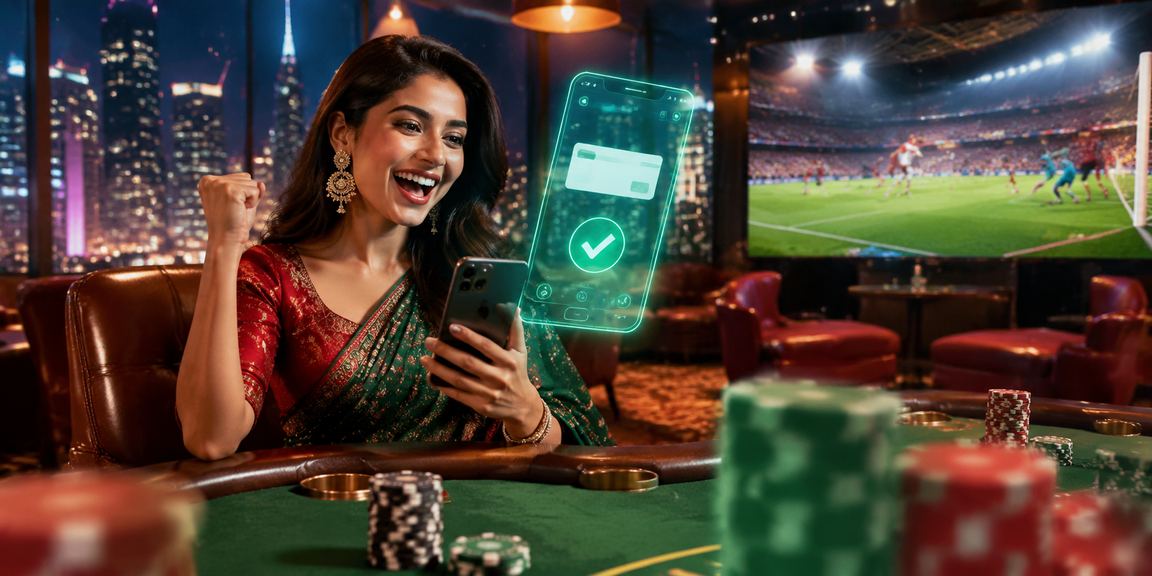
Live Baccarat on the Sona101 App — Casino Experience from Home
What Games Are Available on the App?
Sona101 Logging into the app gives you access to every game and section on the platform. No need to download separate apps for individual games.
The Sports Betting section offers live markets across dozens of sports — cricket, football, kabaddi, and more. In-play betting is available throughout the match, with odds updating in real time as the score changes.
The Jackpot section has it all — from Mini to Mega — playable right from the app. The live pool counter is also visible in real time.
In the Live Casino section, you can play Baccarat, Roulette, and Teen Patti with real dealers in real time. The app's HD streaming quality is noticeably better than the browser experience.
All in all, Sona101 The app is more than just a betting app — it's a complete gaming platform that stays with you on your smartphone, whenever you need it.
Security & Privacy
Installing the Sona101 app does not share your personal data anywhere. The app only requests the necessary permissions:
- Internet Access (for gameplay)
- Storage (for caching)
- Notifications (for offers and promotions)
- Camera (for KYC verification — optional)
No access to your location, contacts, or messages is ever requested.
Update Policy
Sona101 releases regular app updates. Each update includes:
- New Games & Features
- Performance Improvements
- Security Patch
- Bug Fixes
With auto-update enabled, the latest version installs automatically. If you prefer to update manually, simply download the new APK from this page.
Frequently Asked Questions (FAQ)
Download Today — Sona101 Always with You
Android or iOS — whatever you're on, download the Sona101 app now and get a 100% bonus on your first deposit.
Android Download iOS DownloadPlay Responsibly
Easy app access isn't an excuse to play beyond your means. Sona101 always encourages responsible gaming. Set your own budget, and use the daily limit feature in the app settings whenever you need it.